
Spatial Audio
Separating ambience from a moving object source
Forest ambience belongs to the environment entity while bird calls belong to the flying entity, so object-audio direction follows its Transform.
- Capability
- Ambient Audio and Object Audio
- Environment
- PICO Emulator 0.10
- Result
- Immersive scene, bird, and both toggles rendered
Emulator capture
Captured from the local PICO Emulator 0.10 run; no mockup is used as test evidence.
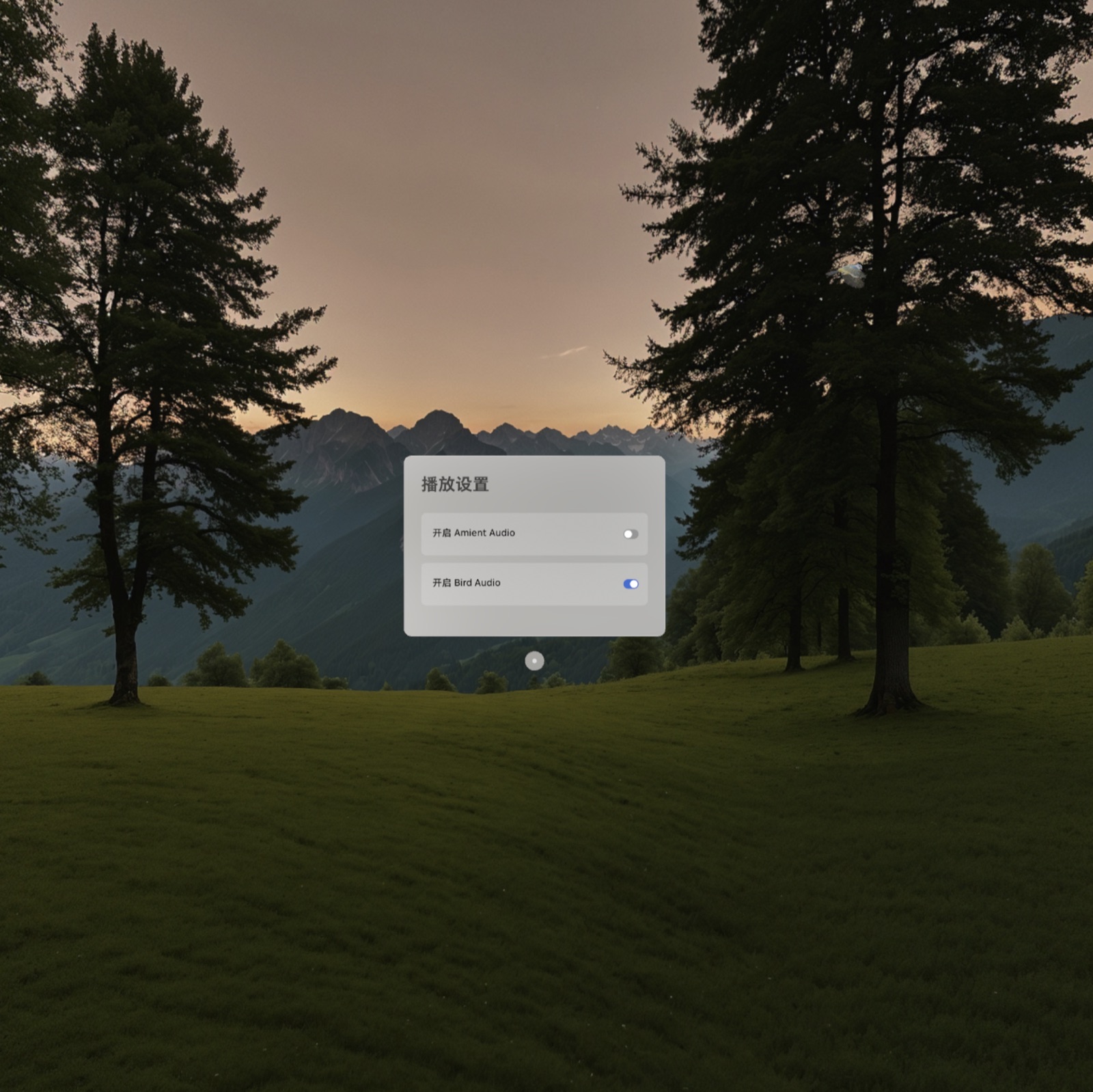
Run result and first-build issue
The extracted ZIP lacked local.properties, so the first build could not locate Android SDK and Spatial Editor. Pointing it to the existing installations fixed the build; the immersive scene then needed a short asset-loading wait.
Core code: two sounds, two playback policies
Ambience loops quietly. Bird calls are randomly selected every 1.5–2 seconds. Controllers and audio resources close together during cleanup.
playAudio(AMBIENT_AUDIO_NAME, setLoop = true, volume = 0.3f)
while (isLoopRunning) {
  playAudio(enabledBirdAudio.random(), setLoop = false)
  delay(Random.nextLong(1500L, 2000L))
}
The loop shares the scene scope; stop it before closing controllers.
Core code: audio flies with the entity
FlyTrajectorySystem queries entities with both trajectory and object-audio components. Each frame updates circular motion, bobbing, and orientation; the sound source follows automatically.
val condition = hasComponent(FlyTrajectoryComponent::class.java)
  .and(hasComponent(ObjectAudioComponent::class.java))
transform.position = calculateTransform(trajectory).position
transform.eulerAngles = calculateTransform(trajectory).rotation
Attaching audio to the entity is safer than maintaining a second position by hand.